

 Audience: Travelers
Accessing your virtual Card details allows you to use it for online payments or add it to your mobile wallet. You can also track your spend in real-time, monitor your remaining budget, check the card status, and view the expiration date - giving you full visibility into your card activity.
Note: Before using your virtual Card for mobile or online payment, confirm with your organization what usage is permitted. Some organizations restrict virtual Cards to booking purposes only.1- Access your virtual Card
- Use the virtual Card widget on your dashboard
The dashboard is the home page of your app, with high-level overview and quick actions to access major features.
If you have been issued a virtual Card, you will see a widget on the right side showing your virtual Card's status, available budget, and expiration date.
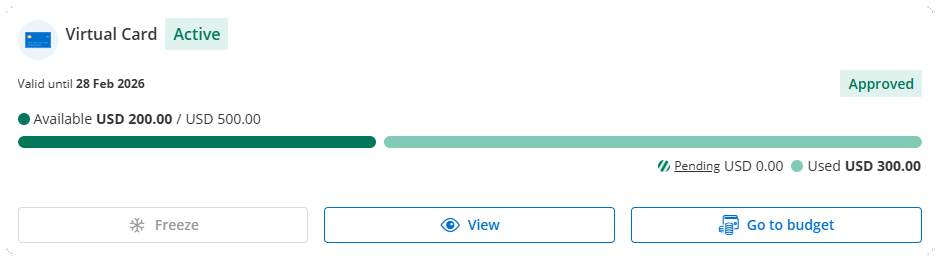
Click 'View' to access your virtual Card numbers.
- Or use the payment methods menu from any page
You can also access your virtual Card details from any page:
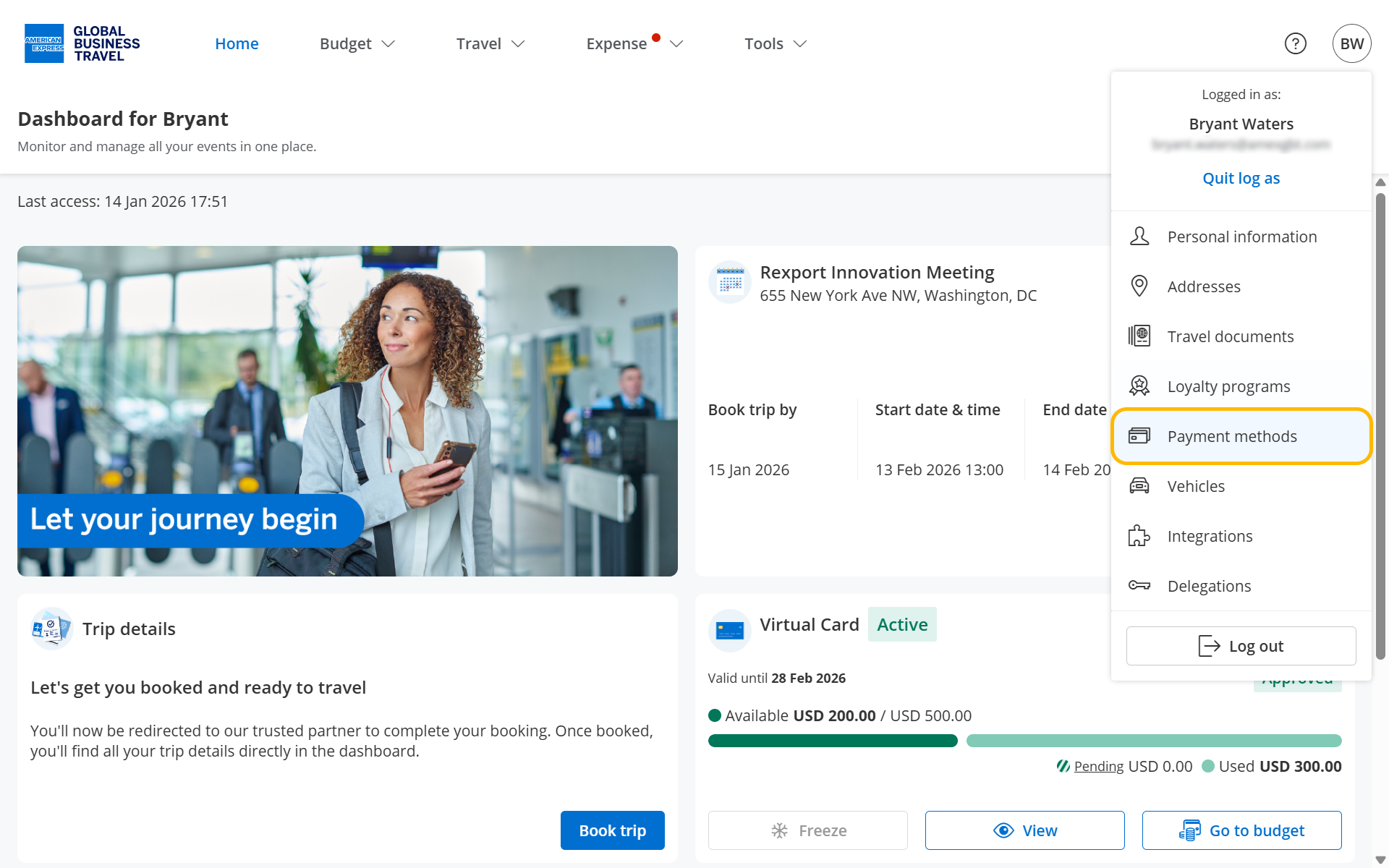
- Click your initials in the top right corner to open your profile menu
- Then, select 'Payment methods' from the menu.
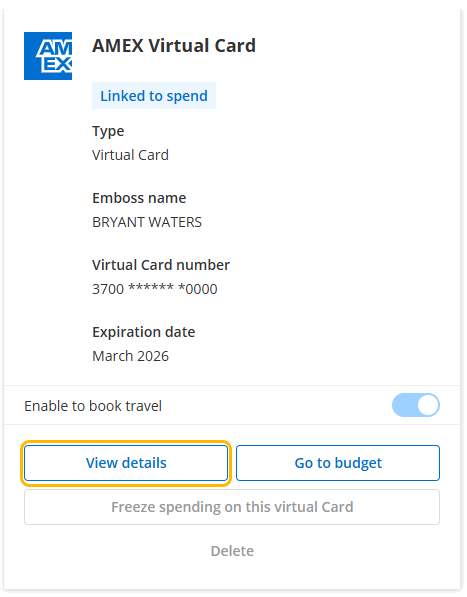
Click 'View details' to access your virtual Card numbers.
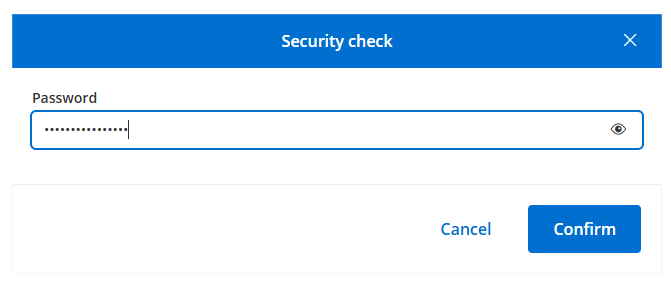
Enter your password and view your virtual Card details
For enhanced security, you will always be asked to enter your password before viewing virtual Card numbers.
Enter your password and click 'Confirm'.
You can copy the Card number into your clipboard to save time entering your Card details.
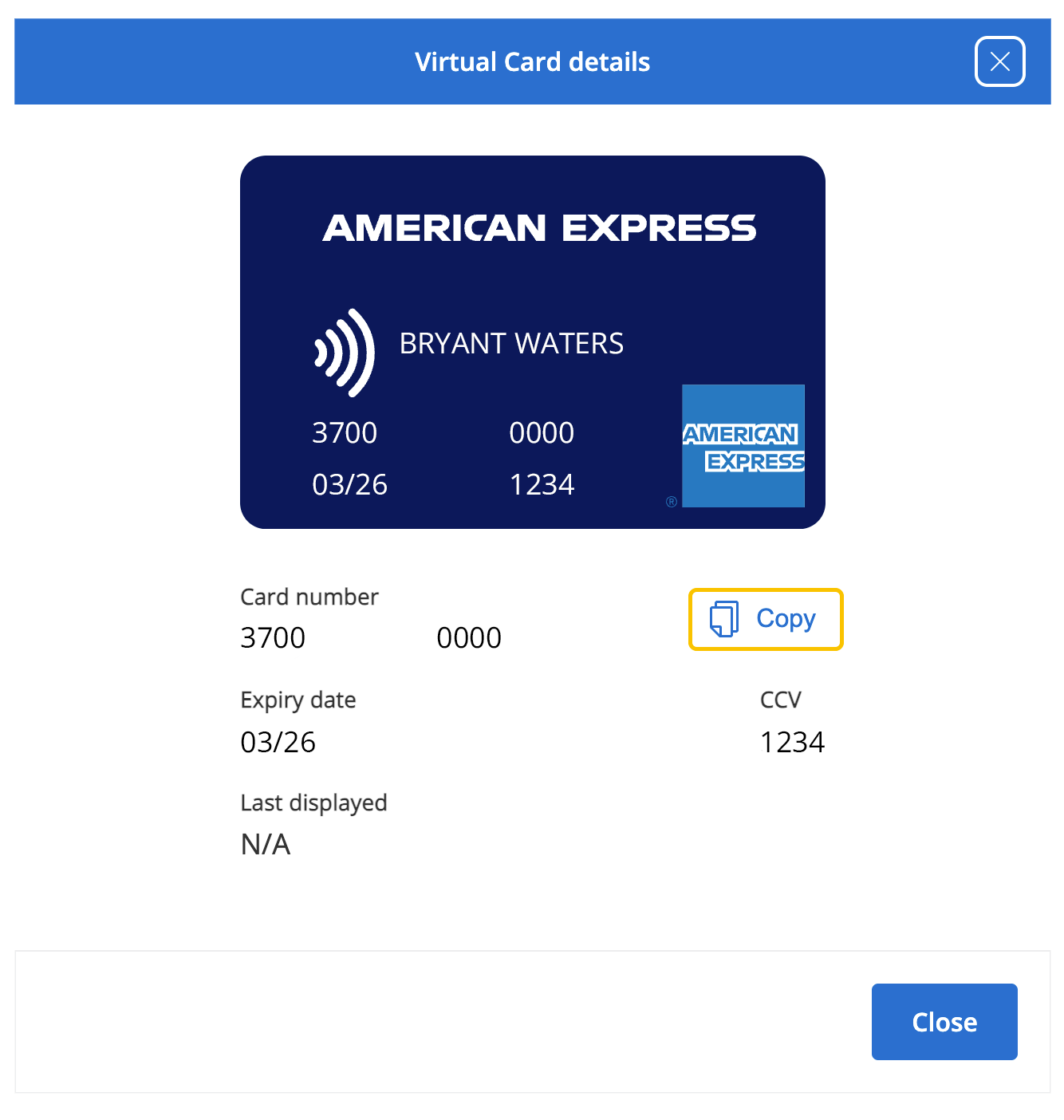
 Tip: Many mobile wallets let you use your device's camera to scan and automatically input your Card details. Check if your device and wallet support this feature for a faster setup.
 Next Step: