

We're excited to share the latest enhancements to your Guest Travel and Expense platform.
This release streamlines event setup and sharpens guest visibility — alongside a set of targeted updates and fixes across the platform.
Explore the full release note below for complete details.
Important notice
We'll be moving to a new URL at app.amexgbtone.com soon. Make sure to update your bookmarks! Note the former URL will remain functional during the transition period.
Key enhancements
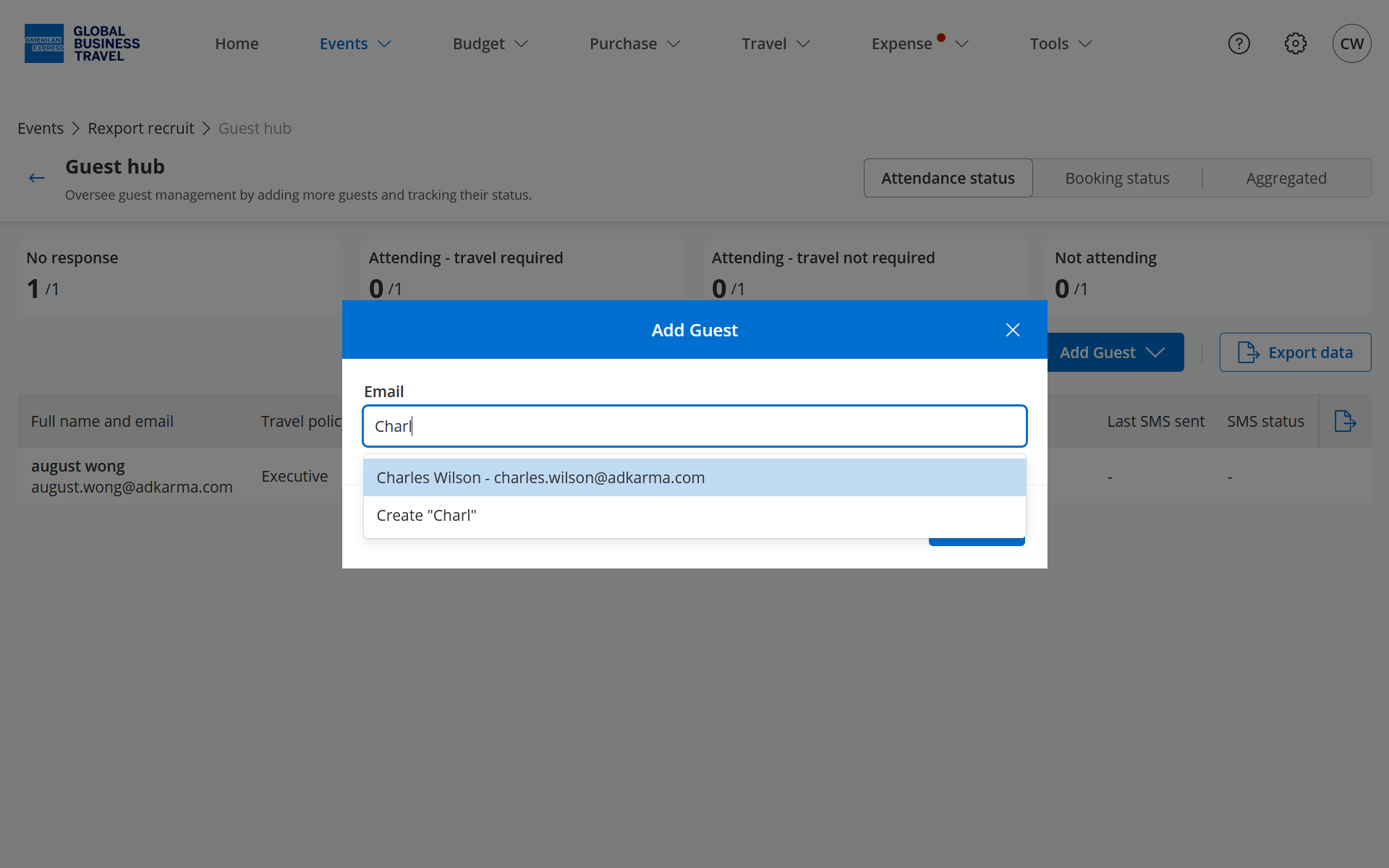
Add individual guests to events without file upload
Event management just got simpler. Organizers can now add a single guest (including existing guest) directly to an event — no spreadsheet or file upload required.
Search for an existing profile and add them in a few clicks. The guest is immediately available in the event with all associated travel and expense workflows ready. Particularly useful for last-minute additions, small events, or corrections after an initial guest list has been uploaded.
This reduces operational overhead, eliminates unnecessary file preparation for simple additions, and accelerates booking readiness from guest identification to confirmation.
Guest Hub: RSVP and booking status visibility
Event visibility has been significantly enhanced. Organizers now have a consolidated view of guest RSVP responses and travel booking statuses directly within Guest Hub.
Status indicators clearly identify guests who have not yet responded, those who have accepted but not completed their booking, and those fully confirmed. When guests exist but have no booking activity, contextual messaging ensures organizers always have an accurate picture of event readiness.
This improves coordination efficiency, reduces manual follow-up, and provides the data needed to keep attendance and travel arrangements on track.
Product updates
Direct trip synchronization
Role
Event managers, Admins
Value
Trip data is now available on demand — giving event managers direct control over synchronization when real-time accuracy matters.
Description
A new “Sync Trips” action enables users to manually trigger trip synchronization directly from the dashboard or trip list. An in-product loading indicator confirms synchronization is in progress, providing visibility that was previously unavailable. This complements existing automated sync and to get booking data is always current when time-sensitive decisions need to be made.
Payment-method-aware guest notifications
Role
Guests, Event owners
Value
Guest communications now reflect the event's configured payment method, improving clarity and reducing support inquiries.
Description
Email and SMS notification templates now adapt to the event's configured payment method — Virtual Card, Shared Card, Out-of-Pocket, or BTA. Guests now receive accurate, contextual instructions aligned with how their expenses will be handled, reducing incorrect actions and follow-up queries.
Reliable trip assignment for arranged travelers
Role
Event managers, Admins
Value
Every trip booked on behalf of an arranged traveler is now tracked and assigned, regardless of the email address used at booking.
Description
Trip assignment now uses company-level matching to automatically identify the correct traveler when the booking email address is not registered on the platform. Trips that cannot be matched are flagged as "Unassigned," keeping them visible and actionable within the event workflow. This ensures complete trip visibility across all arranged bookings and reduces manual reconciliation effort for event teams.
Updated title and gender values for traveler profiles
Role
All users, Admins
Value
Traveler profiles now reflect current title and gender standards for more accurate and inclusive guest data.
Description
Title and gender field options in traveler profiles have been updated to align with current standards, applying to both new profile creation and existing profile editing. This improves data quality and consistency across all guest records.
Additional improvements
- Improved "Book Trip" responsiveness for guests who already have an active booking
- Added a red notification badge on the mobile menu icon when pending actions require attention
- Improved RSVP modal display at browser zoom levels above 100%
- Corrected missing word in guest arrival validation message
- Improved confirmation modal when deleting fields or tax values
- Improved guest edit confirmation flow when HCP toggle is enabled after RSVP
- Users now remain on the password step after a failed authentication attempt
- Improved Booking Status tab display when guests exist but have no booking activity
- Login is now case-insensitive for usernames
Our aim is to keep improving everything we do to provide a great experience to our customers; as always, any and all feedback is welcome—simply contact us at help@amexgbtone.com.